
Update your business details
Keep your company logo, contact information and licence details accurate wherever they are used in Matora.
Updated
Business Details stores the shared company information used throughout Matora. These details are usually entered during onboarding, but the company owner can return here whenever the business information or logo changes.
Where business details are used
Company information can be inserted into title pages, report headers and footers, email templates and report placeholders. Keeping it accurate helps reports and client communication remain consistent.
- Company name and business address
- ABN, website and business email
- Company logo
- Licence holder, licence number and licence contact details
All fields are optional. Only enter details that are relevant to your business and the documents you produce.
Update your company information
In the app: Open Business Details · Settings → Business Details
- 1Open Settings → Account → Business Details.
- 2Update the company, contact or licence fields that have changed.
- 3Select Save Changes at the top of the screen.
Text-field changes are not saved until you select Save Changes. If you try to leave with unsaved changes, Matora will ask whether you want to discard them.
Add or replace the company logo
Select Add Logo or Change Logo, then choose an image from Photos or Files. A transparent PNG with a small amount of clear space around the artwork usually gives the best result in different report layouts.
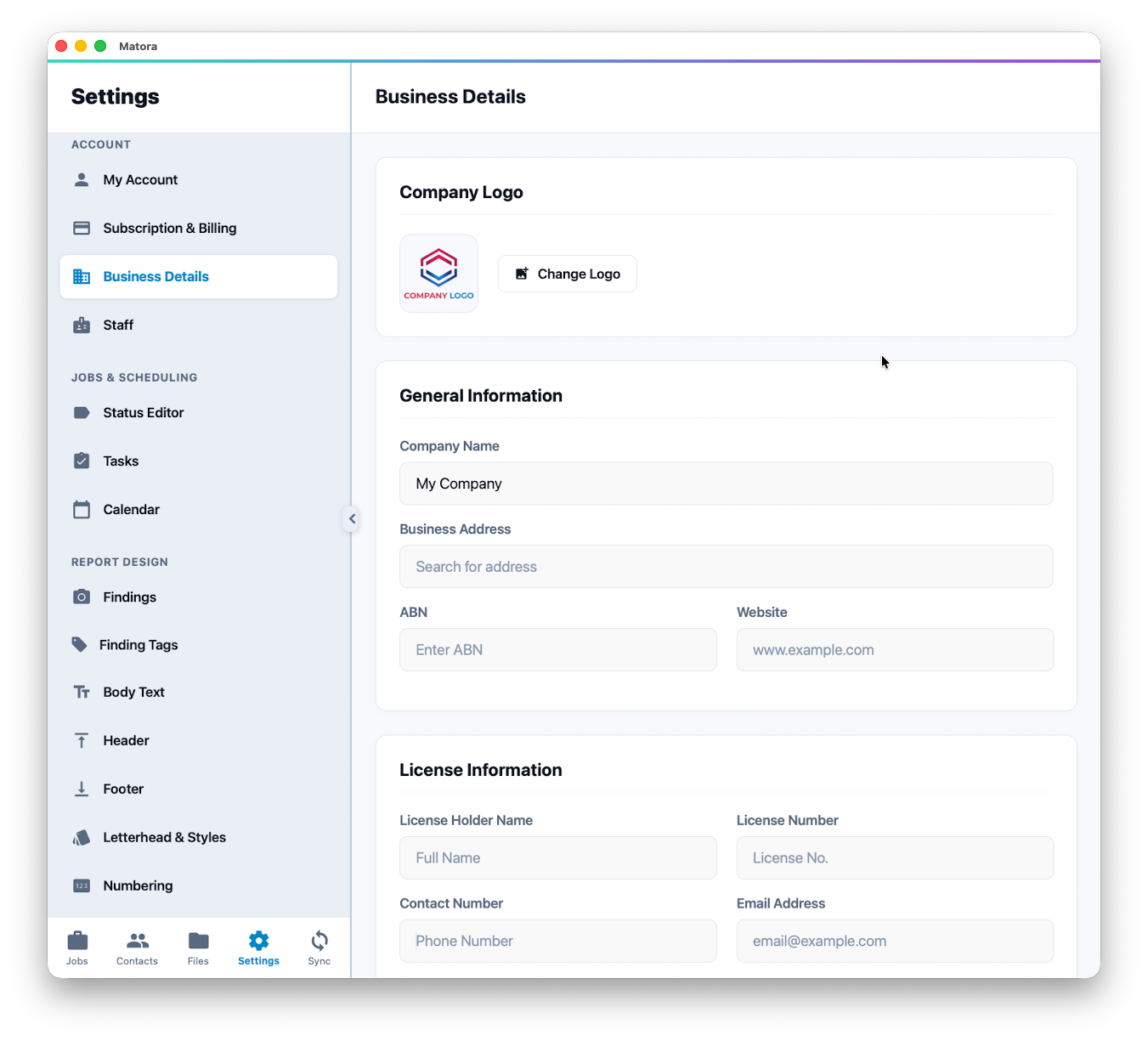
Logo changes save immediately. They do not wait for the Save Changes button used by the other business fields.
Business details and personal details
Business Details belongs to the company and is shared across its reports. Your own name and sign-in email are managed under My Account, while each inspector's contact and licence information can be managed from their record under Staff.