
Understanding findings
Learn how findings turn site photos and observations into structured information for your reports.
Updated
A finding records something you observed during an inspection. It brings the supporting photo and written information together so the issue, its location and any recommended action are clear in the finished report.
What can a finding contain?
In the report editor, findings are added as Photo Finding blocks. Each finding can contain a photo and the details needed to explain it.
- An Observation describing what was seen.
- A Reference Code and supporting regulation or clause.
- A Scope of Works, assessment or statement when more explanation is required.
- One or more Finding Tags for classifications such as severity or category.
- Any custom fields your company uses to collect additional information.
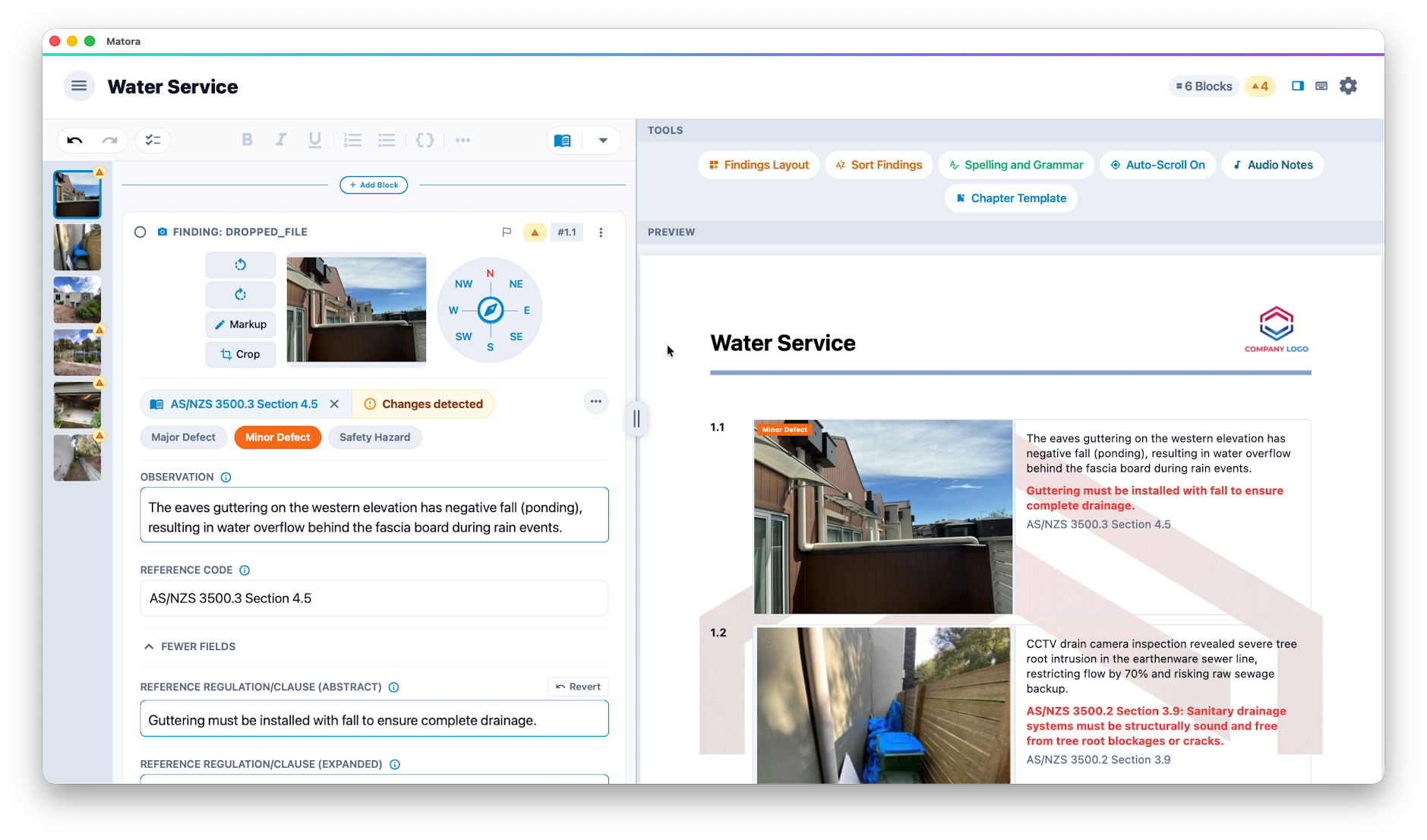
Not every finding needs every field. Record enough information for another person to understand what the photo shows, why it matters and what should happen next.
From inspection to report
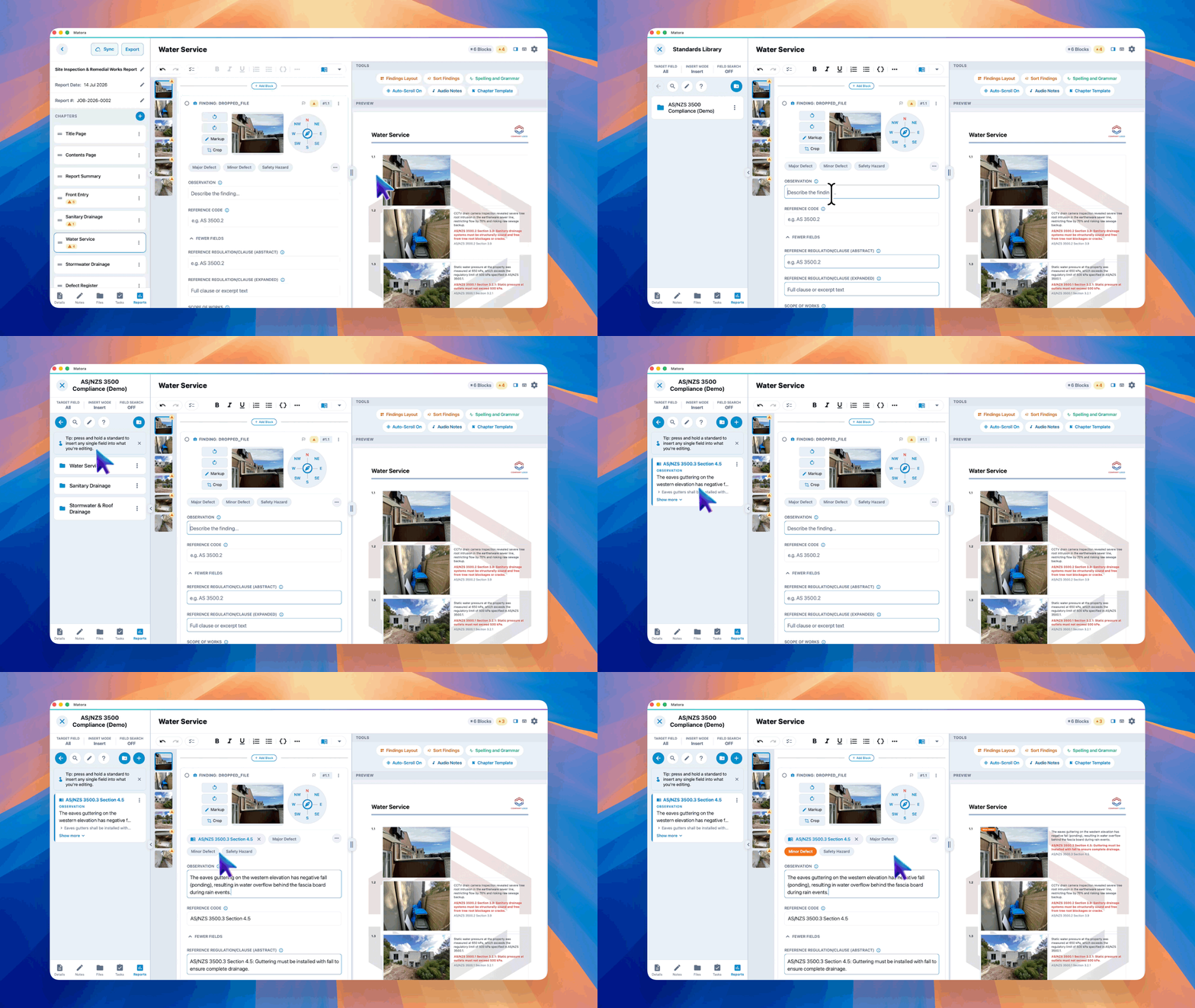
- 1Add a Photo Finding within the relevant report chapter, or capture a finding photo while working on site.
- 2Take a new photo or attach an existing image.
- 3Describe the observation and complete any relevant reference, assessment or action fields.
- 4Apply finding tags when the observation needs a consistent classification.
- 5Continue building the report. Matora presents the finding using that chapter’s finding layout and report output settings.
Place each finding in the chapter where a reader would expect to find it. A clear chapter structure makes both the inspection and the finished report easier to follow.
Reuse common observations
When your team records the same kinds of issues regularly, save the reusable wording in the Standards Library. Inserting a library observation can populate its prepared finding details and default tags, helping inspectors work faster while keeping reports consistent.
Use the Standards Library for wording that should remain consistent, then adjust the inserted finding to accurately describe what was observed on that particular job.
How findings are used in a report
Findings appear with their photographs and selected written details in the finished report. Their information can also feed supported report blocks, including summaries, custom lists and defects tables, so the same observation does not need to be entered repeatedly.
Continue learning
- Customise your finding fields to decide what inspectors can record.
- Create and use finding tags to classify and filter observations.
- Style findings in your reports to control photos, printed fields and overlays.