
Understand your plan and billing
Review your Matora plan, usage, devices and team allowance, then manage upgrades or subscription add-ons.
Updated
Subscription & Billing brings together your current plan, renewal status, company usage and available plan options. This screen is available to the company owner.
Review your current plan
In the app: Open Subscription & Billing · Settings → Subscription & Billing
- 1Open Settings → Account → Subscription & Billing.
- 2Review the plan name, status and renewal or access-until date at the top of the screen.
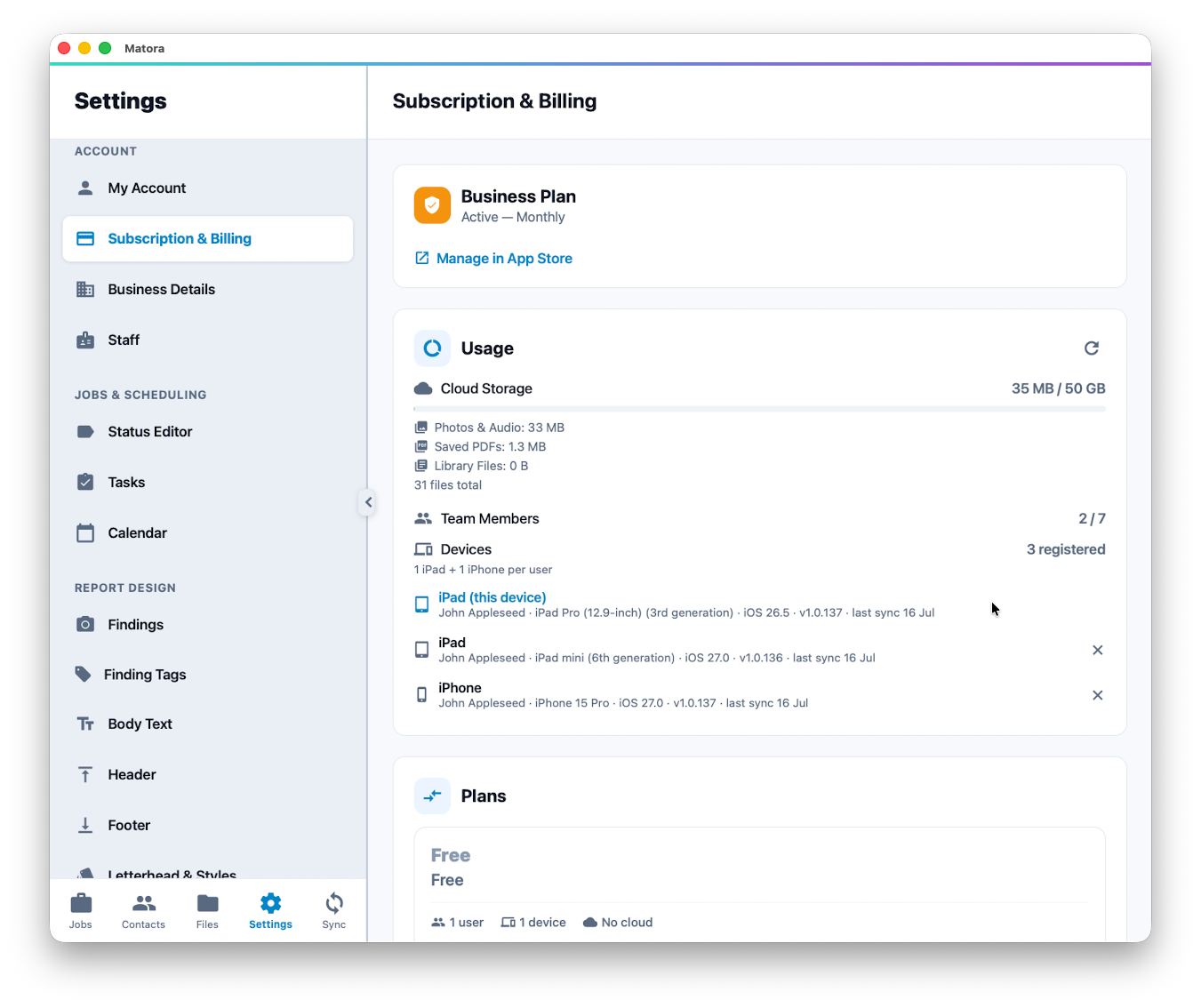
- 3Check the Usage section for cloud storage, active team members and registered devices.
Understand the usage figures
- Cloud Storage: shows total storage used and separates photos and audio, saved PDFs and library files.
- Team Members: compares active users with the number included in the plan.
- Devices: lists the devices registered to company users, including recent sync and app information.
When the storage limit is reached, new uploads are blocked until storage is reduced, the plan is upgraded or an additional data pack is added.
A device that is no longer used can be deregistered from the device list. The current device cannot be removed from itself, and a deregistered device must register again before its next sync.
Compare or change plans
The Plans section compares the users, devices, storage and features included with each option. App Store subscriptions can be upgraded in the app, while downgrades and cancellations are managed through Apple.
If the plan is managed online, Matora identifies it as a web-managed subscription. Change or cancel that subscription by signing in to your Matora account on the web rather than through the App Store.
If an eligible App Store purchase is not recognised after reinstalling Matora or changing devices, select Restore Purchases using the same Apple ID that made the purchase.
Add storage or team members
- Data Packs add more cloud storage to a paid App Store subscription and can be combined.
- Extra Seats add more team-member places to eligible Professional and Business subscriptions.
- For a web-managed plan, purchase and manage available add-ons through the online account.
Subscription options and prices can vary by billing platform. Use the amounts and management instructions shown in your account as the current source of truth.