
Manage your account and security
Update your personal profile, sign-in email or password, and understand the account security options available to you.
Updated
My Account contains the details connected to your personal Matora login. Every user can manage their own name, email and password from this screen.
Review your profile
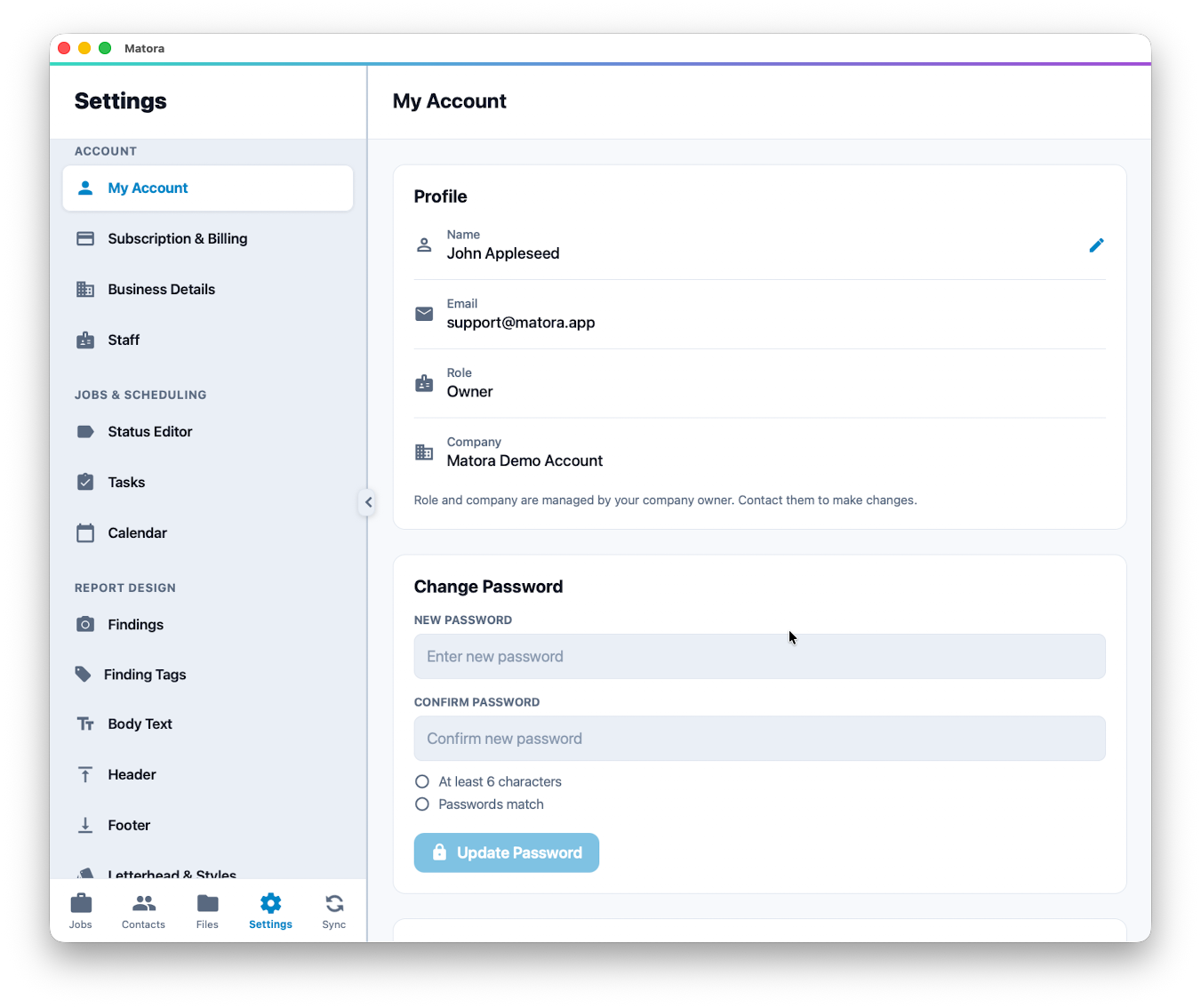
Your profile shows your name, sign-in email, company and role. Your name identifies you in areas such as the staff list and activity history. Your company and role are managed by the company owner.
In the app: Open My Account · Settings → My Account
- 1Open Settings → Account → My Account.
- 2Select the edit button beside your name.
- 3Enter your preferred name and select Save.
Your personal profile is separate from Business Details. Changing your name does not change the company name, business address or company logo.
Change your password or email
- To change your password, enter it twice and select Update Password. Passwords must contain at least six characters.
- To change your sign-in email, enter the new address and select Update Email.
- Open the confirmation message sent to the new address to complete an email change.
Use an email address you can access outside Matora. It is needed for confirmations and account recovery.
Sign out or delete your account
Use Sign Out when changing accounts or leaving a device. Matora keeps local data on the device for faster access if you sign back in, so take extra care when using a shared device.
Account deletion is different from signing out. Deletion is scheduled for 30 days and requires your password and a typed confirmation. If you are the company owner, it also schedules the company workspace and its jobs, reports, files, contacts and settings for deletion. Review the on-screen summary carefully before continuing.
An App Store subscription is not cancelled automatically when an account is deleted. Manage it separately through Apple. Online subscriptions are cancelled as part of the deletion process. Contact support within the 30-day period if you need to cancel a deletion request.