
Build a branded title page
Create a reusable report cover using your logo, brand colours, images and automatic job details.
Updated
The title page is the first impression your report makes. Matora's Title Page Builder lets you combine your logo, brand colours, images and report details into a reusable cover page built from flexible blocks.
What is the Title Page Builder?
The builder is used for Title Page chapters. Each part of the page—such as the logo, report title, property address or hero image—is a separate block that you can customise and arrange in the order you want.
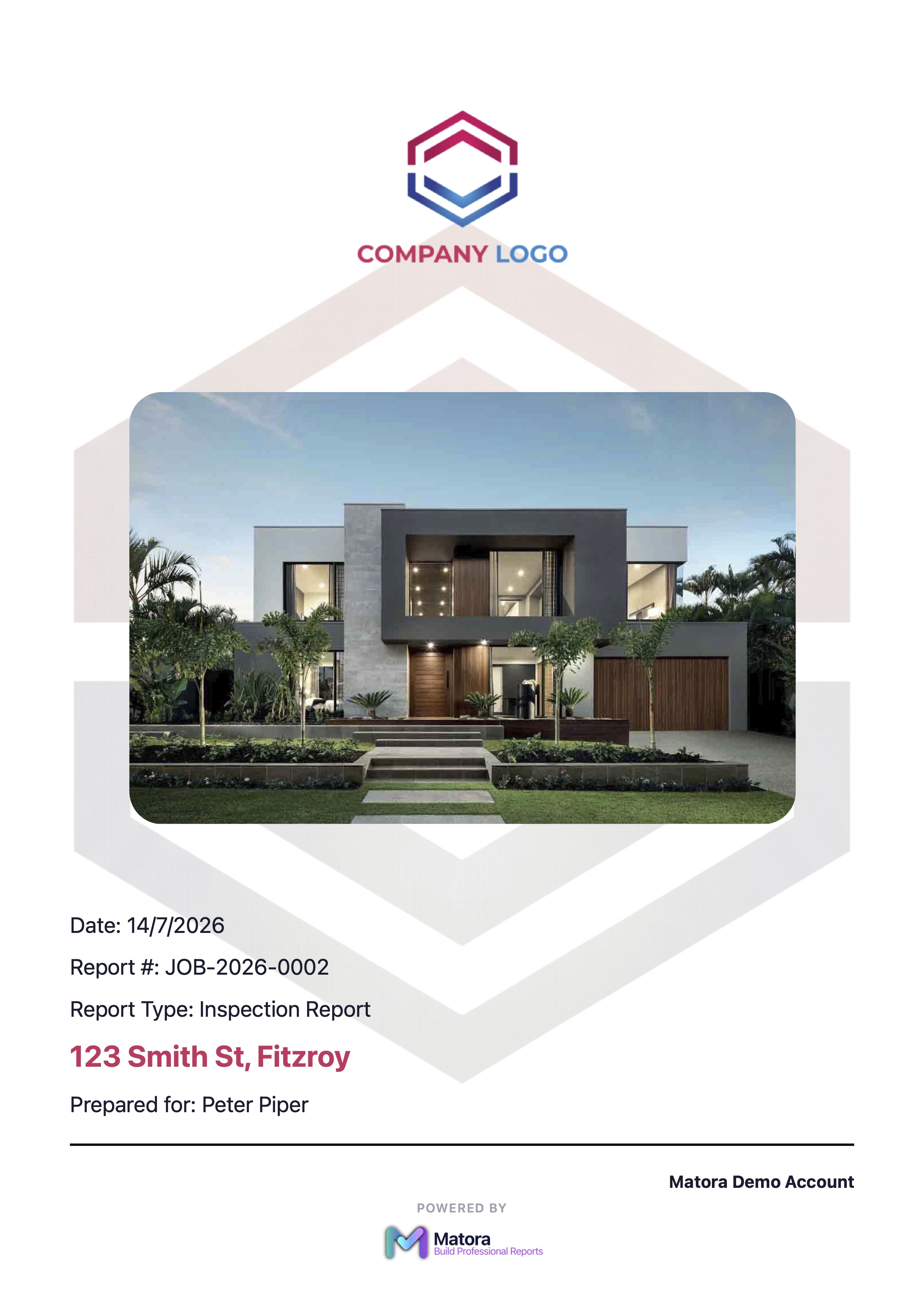
Build the title page inside a report template to reuse the same design on future jobs. Placeholders automatically fill in details such as the report type, job address, client name and report date.
Open the Title Page Builder
In the app: Open Report Templates · Settings → Report Templates
- 1Open Settings → Report Templates.
- 2Choose the report template you want to customise.
- 3Open its Title Page chapter to enter the block editor.
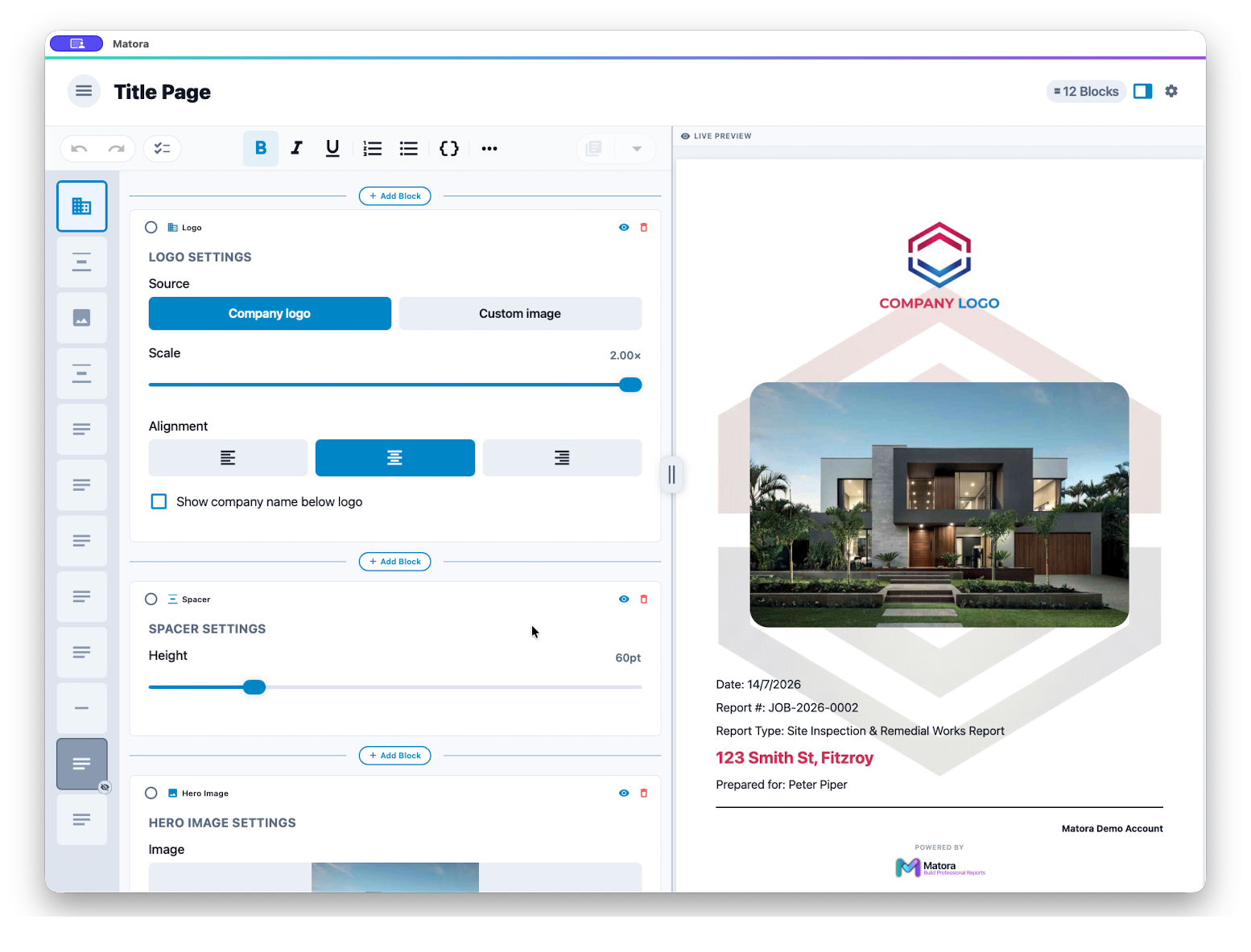
Build your title page
- 1Use the Logo block for your company logo or a custom image, then adjust its size and alignment.
- 2Add a Hero Image when the report benefits from a strong property or project photo.
- 3Use Text and Subheading blocks for the report title and important details. Add placeholders such as {{report_type}}, {{job_address}}, {{contact_full_name}} and {{report_date}} so the page updates for each job.
- 4Use Divider and Spacer blocks to organise the page and create breathing room between sections.
- 5Reorder the blocks until the page has a clear visual flow, checking the live preview as you work.
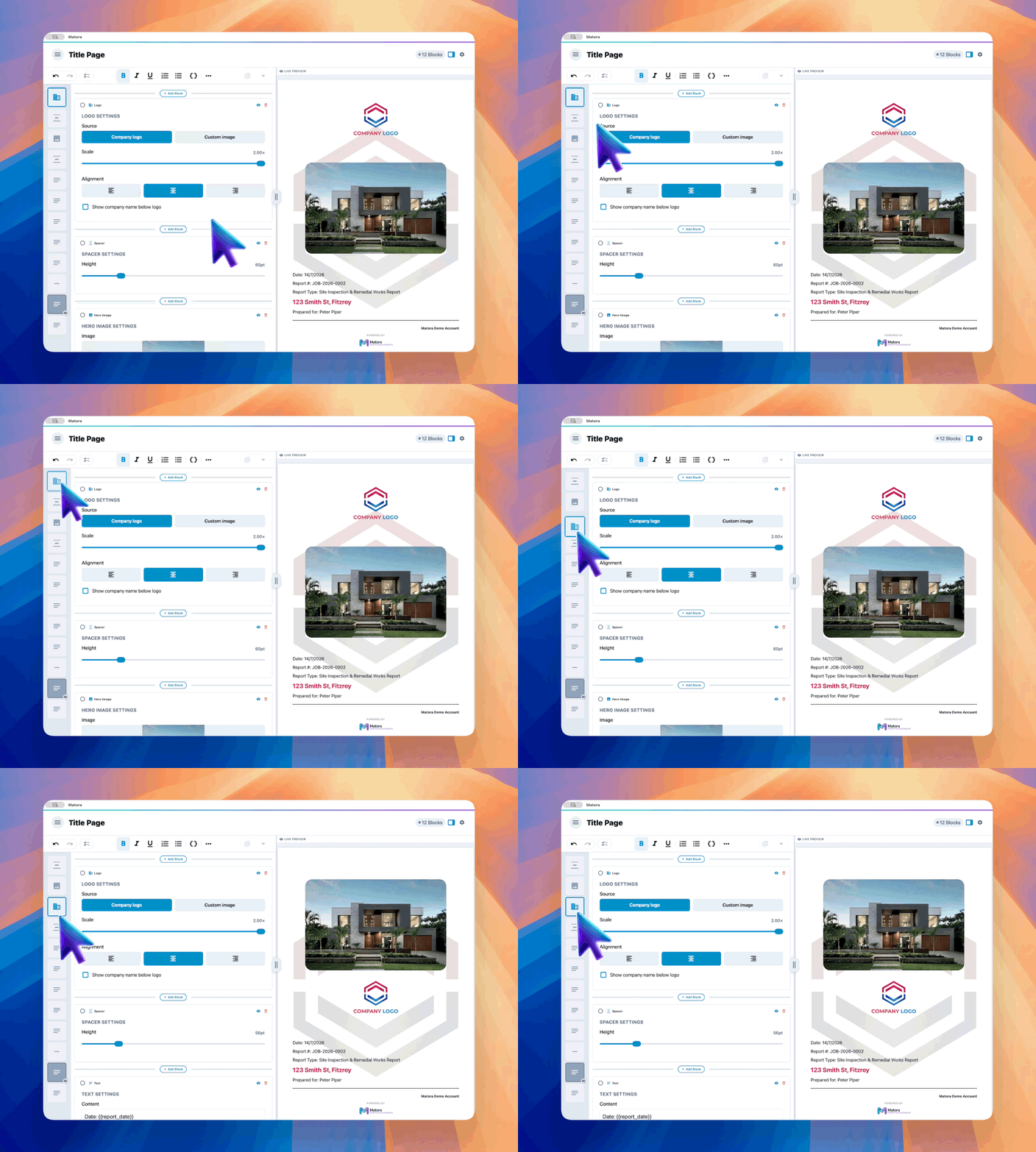
Keep the page focused. A logo, clear report title, property or client details and one strong image are usually more effective than filling every available space.
Check the finished title page
Preview or export a sample report before finalising the template. Check that placeholders have enough room for longer job details, text remains readable over the page background and the design feels consistent with your letterhead, headers and footer.